
Dynamics 365 Data Migration: Complete Step-by-Step Guide
Master Dynamics 365 data migration with this step-by-step guide. Learn how to plan, map, execute, and validate your data for a smooth, risk-free transition.
Want to make your Microsoft 365 work harder for your business?
and we’ll tailor a solution that’s just right for you.
Are you prepared for the complexities of migrating your business data to Microsoft Dynamics 365? In 2025, the global Microsoft Dynamics Services market has hit USD 11.98 billion (£8.94 billion GBP), growing at a CAGR of 12.88% through 2030. This sharp rise reflects how businesses are increasingly turning to cloud-based platforms like Dynamics 365 to optimise operations.
Yet, as companies move toward this modern solution, one major hurdle stands out: data migration. The process of transferring critical business data from outdated legacy systems to Dynamics 365 is not only challenging but also essential for ensuring smooth operations.
This blog will cover the critical steps of Dynamics 365 data migration, from pre-migration planning and data mapping to execution and post-migration validation.
Essential Highlights
- Align Migration with Business Goals: A successful Dynamics 365 data migration should be strategically tied to your broader business objectives, such as improving scalability and meeting compliance requirements.
- Prioritise Data Quality from the Start: Before initiating migration, invest in cleaning, validating, and organising your existing data.
- Use Incremental Migration to Reduce Risk: Migrating data in phases allows for controlled testing, early detection of issues, and continuous system availability.
- Validate Post-Migration to Maximise Value: Continuous validation, system tuning, and user adoption determine how much value your business actually gains from Dynamics 365.
Why Are Businesses Moving to Dynamics 365?
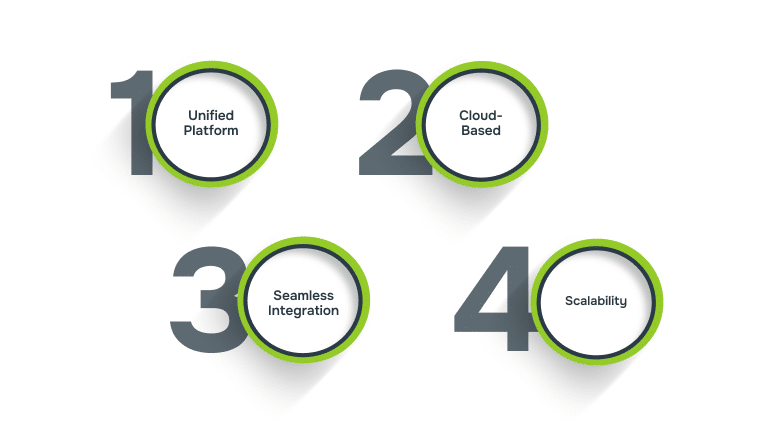
Businesses across industries are increasingly migrating to Microsoft Dynamics 365 due to its ability to integrate both CRM and ERP functionalities into one cloud-based platform.
Here are a few reasons why businesses are making the shift:
- Unified Platform: Dynamics 365 combines various business applications into a single suite, providing end-to-end solutions for sales, customer service, operations, marketing, and more.
- Cloud-Based: As a cloud-based solution, Dynamics 365 offers accessibility from anywhere, ensuring that data is available in real-time across all devices, which helps businesses stay agile.
- Seamless Integration: The platform integrates effortlessly with other Microsoft tools, such as Office 365, Power BI, Power Automate, and Azure, providing a more cohesive, interconnected ecosystem.
- Scalability: Businesses can scale the platform as needed, adding more applications or functionalities as they grow, without worrying about hardware constraints or outdated software.
Dynamics 365’s flexibility, intelligence, and integration capabilities make it a powerful solution for businesses looking to modernise their operations and stay ahead of the competition.

Why Proper Data Migration is Critical?
A well-planned migration strategy is essential for a smooth transition to Dynamics 365. This includes understanding the data structure, selecting the right tools, and ensuring clear communication across all stakeholders. Here’s why proper data migration is critical:
- Data Loss and Errors: Improper data migration can lead to data loss, corruption, or mismatches. Missing customer records, incorrect financial information, or faulty inventory data can disrupt business operations and customer relationships.
- System Incompatibility: Legacy systems may use different data formats, structures, and terminology, and without proper mapping and transformation, this incompatibility can cause migration failures.
- Impact on Operations: A successful migration ensures that Dynamics 365 functions smoothly and that employees can immediately leverage the system’s capabilities. A failed or rushed migration can result in downtime, loss of productivity, and an inability to utilise critical business data.
To avoid these costly pitfalls, it’s crucial to follow a structured approach..
Steps for a Successful Dynamics 365 Data Migration
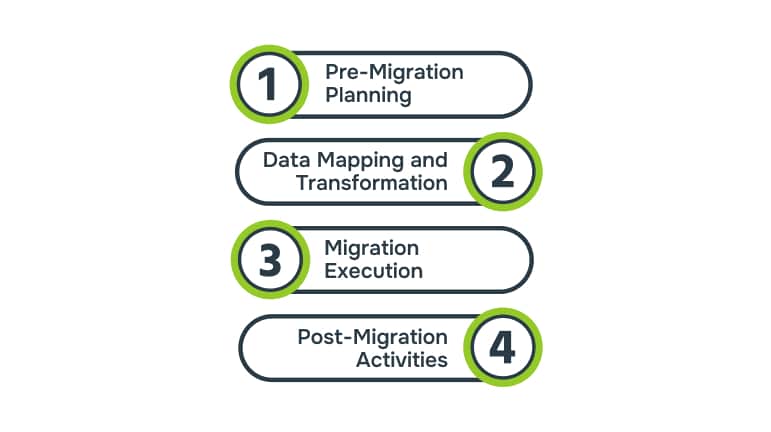
To avoid the risks of data loss or system disruption, preparation is key. The first step is strategic planning, ensuring your migration goals, data quality, and tools are aligned for success.
Step 1: Pre-Migration Planning
Before beginning the data migration process, it’s essential to lay a solid foundation with thorough pre-migration planning. This stage involves defining clear objectives, assessing the quality and relevance of the data to be migrated, and selecting the right tools for a seamless transition to Dynamics 365.
1. Setting Clear Objectives for Migration
Understanding why you’re migrating and what you hope to achieve sets the foundation for the entire process. Your objectives should align with your overall business goals and provide measurable outcomes for the migration.
- Improved Data Accessibility: Ensuring that data is more easily accessible to the right people, when needed, improves decision-making and operational efficiency.
- Enhanced Analytics: With the advanced analytics tools in Dynamics 365, businesses can gain deeper insights into their operations, helping them make more informed decisions.
- Scalability: Preparing your systems for future growth and ensuring that your data structure and processes can scale as your business expands.
By clearly defining these objectives from the outset, your migration team can ensure that each step of the migration process aligns with your strategic business goals and that success is measured effectively.
2. Data Audit and Assessment
Once the migration objectives are clear, the next critical step is conducting a thorough audit of your existing data. This phase allows you to identify the current state of your data, which is essential for ensuring a smooth migration.
The data audit process typically involves:
- Data Quality Check: Assess the cleanliness of your data by identifying duplicates, incomplete records, or outdated information.
- Identifying Relevant Data: Not all data needs to be migrated. During this phase, you should decide which data is essential to move to Dynamics 365 (e.g., customer records, transaction history, etc.) and which can be archived or discarded.
- Data Structuring: Understanding how your data is currently structured in the legacy system is vital for planning the transformation and mapping stages later in the process.
3. Choosing the Right Tools and Resources
Selecting the right tools is key to a smooth, error-free migration. Microsoft Dynamics 365 offers built-in tools like the Data Import Wizard for smaller migrations with flat files (CSV, Excel). For larger or more complex data migrations, third-party tools may be necessary.
The choice of tools depends on your data’s complexity and volume. Consulting with experts can help you choose the best tools for your needs. Once your goals are clear, precise data mapping ensures the system aligns with business logic rather than legacy inefficiencies.
If you’re unsure about which tools are best for your migration or need guidance on integrating Dynamics 365 into your existing systems, Alberon’s team can offer expert support to ensure your migration process runs smoothly and efficiently.
Step 2: Data Mapping and Transformation
This phase ensures that data from your legacy systems is accurately aligned with the structures in Dynamics 365. A well-executed data mapping process helps avoid errors and ensures the integrity of the migrated data.
1. Mapping Data from Legacy Systems to Dynamics 365
Without accurate mapping, data can either be incorrectly imported or rejected entirely by Dynamics 365. Key steps in this process include:
- Understanding Legacy System Data Structure: Each system has its own data structure, so it’s essential to understand how data is organised in your legacy system and compare it with the fields in Dynamics 365.
- Field-to-Field Mapping: This involves associating each data field in the old system with its equivalent field in Dynamics 365.
For instance, customer names from your legacy CRM system need to be mapped to the appropriate fields in Dynamics 365.
- Custom Field Mapping: If your legacy system includes custom fields not present in Dynamics 365, these fields will need to be mapped into an acceptable format for the new system.
This stage ensures that data flows seamlessly into the new system and is structured in a way that makes it easy to use.
2. Transforming Data to Fit Dynamics 365
Not all data will be compatible with the target system, as it might have different formats, structures, or types. Data transformation ensures that the data fits the model of Dynamics 365.
Transformation steps can include:
- Data Formatting: Data types in your legacy system might not be the same as those in Dynamics 365.
For instance, date formats, numeric values, or text fields might need to be adjusted. For example, dates in the legacy system may be formatted as MM/DD/YYYY, but Dynamics 365 requires the format to be YYYY-MM-DD.
- Data Cleaning: In addition to mapping and formatting, data may also need to be cleaned before it can be successfully imported. This could involve removing duplicates, correcting inconsistent data (like typos or outdated information), and filling in missing values.
- Handling Missing or Invalid Data: Any records that are incomplete or invalid need to be addressed before they can be moved into Dynamics 365. This could involve either filling in the missing data or excluding those records from the migration.
3. Testing the Transformation
After the data has been mapped and transformed, it’s crucial to test the process to ensure that everything works as expected. This involves:
- Small-Scale Testing: Run a test migration with a small set of data to ensure the mapping and transformation process is functioning correctly.
- Validate Data Integrity: During testing, ensure that no data has been lost or altered incorrectly. The test migration should confirm that the right data has been moved into the right fields in Dynamics 365.
- Resolve Issues Early: If any issues arise during the testing phase, address them immediately before proceeding with the full migration.
With your data aligned and validated, it’s time to move from strategy to action. This stage tests the strength of your groundwork, executing migration with confidence, control, and minimal disruption.
Step 3: Migration Execution
This phase includes the critical steps of extracting and loading (ETL) data into Dynamics 365. A well-executed migration ensures that data is transferred correctly, without loss or corruption, and that the system operates as intended after the move.
1. Data Extraction
The first step in migration execution is to extract data from your legacy systems. Extraction methods include:
- API Integrations: Direct data extraction via APIs allows for a seamless transfer between systems, reducing manual intervention.
- Database Queries: For more complex systems, custom queries can be written to pull data from the existing database.
- Export Tools: Many legacy systems have built-in export functionalities (CSV, Excel) that simplify the extraction process for smaller datasets.
Once data is extracted, it must be transformed into the proper format that Dynamics 365 can accept.
2. Loading Data into Dynamics 365
With data properly extracted and transformed, it is now ready to be loaded into Dynamics 365. Depending on the size of the data, there are different methods:
- Data Import Wizard: Ideal for smaller datasets or when migrating less complex data. It allows for simple drag-and-drop import of data into Dynamics 365.
- Data Migration Framework (DMF): This tool is ideal for more complex and larger datasets. It uses staging tables to efficiently load data into Dynamics 365, allowing for smooth data transfers even in larger migrations.
Bulk vs. Incremental Loading: Depending on the data volume and your migration strategy, you may need to choose between bulk loading (for large datasets) or incremental loading (to load data over time).
- Bulk Loading: This method loads large volumes of data at once. It’s best used when migrating data during a system downtime or when data volume is high.
- Incremental Loading: This approach loads data in smaller chunks over a period of time. It’s useful for minimising system downtime and reducing the risk of migration errors, especially when working with large or complex datasets.
After migration, post-migration validation ensures your investment delivers measurable value, not just technical completion.
Step 4: Post-Migration Activities
Once the migration is complete, the process doesn’t end there. Post-migration activities ensure that data integrity, system functionality, and user adoption remain intact.
1. Post-Migration Data Validation
After the data has been successfully loaded into Dynamics 365, the next step is data validation to ensure the migration was successful. This includes:
- Accuracy Check: Verify that all data is accurate and complete, ensuring no discrepancies between the legacy system and Dynamics 365.
- Validation Testing: Conduct testing to make sure all processes that rely on the migrated data (e.g., reporting, transactions) work correctly in Dynamics 365.
It’s important to involve business users during this stage to validate that the migrated data supports actual business operations and processes.
2. System Monitoring and Optimisation
Once the data is validated, it’s time to focus on system optimisation. This involves:
- Performance Monitoring: Monitor the performance of Dynamics 365, especially after a large migration. Identify any performance issues, such as slow load times or delayed processing.
- Troubleshooting and Adjustments: Any errors or issues identified in the validation phase need to be fixed immediately to ensure the system operates smoothly.
- Optimising System Settings: Review and tweak system settings to ensure they operate efficiently. This may include adjusting workflows, permissions, and integrations with other systems.
3. User Training and Support
Successful data migration is not just about the system working correctly. It’s about ensuring users can utilise the system effectively. Focus on:
- Training Sessions: Provide comprehensive training to users on how to use Dynamics 365 and access the migrated data. Ensure employees are comfortable with the new system and understand its features.
- Ongoing Support: Offer continued support after go-live and make adjustments as necessary to meet evolving business needs.
- Change Management: Ensure that change management practices are in place to address any resistance from employees or stakeholders. Open communication and continuous feedback can help ease the transition.
4. Ongoing Data Maintenance
Maintaining data quality and system integrity doesn’t stop after the migration. Ongoing data maintenance is crucial for long-term success:
- Data Cleansing: Regularly review and clean data to remove duplicates, outdated records, and errors. This ensures that Dynamics 365 remains a reliable source of truth.
- Data Governance: Establish policies and procedures for managing data within Dynamics 365 to ensure that data remains accurate, secure, and compliant with industry standards.
- System Audits: Periodically audit the system to ensure it continues to meet business requirements and complies with security and regulatory standards.
Regular maintenance keeps the system running smoothly and ensures that your data remains valuable for decision-making.
Alberon’s Microsoft Dynamics 365 solutions offer tailored services to help you maintain data integrity and system performance. Our team provides expert support in implementing effective data governance frameworks, conducting regular system audits, and ensuring compliance with industry standards. Contact Alberon today!
Even the best-planned projects face challenges. Recognising these potential pitfalls early helps you to lead with foresight rather than firefighting later.

Common Challenges & Best Practices in Dynamics 365 Data Migration
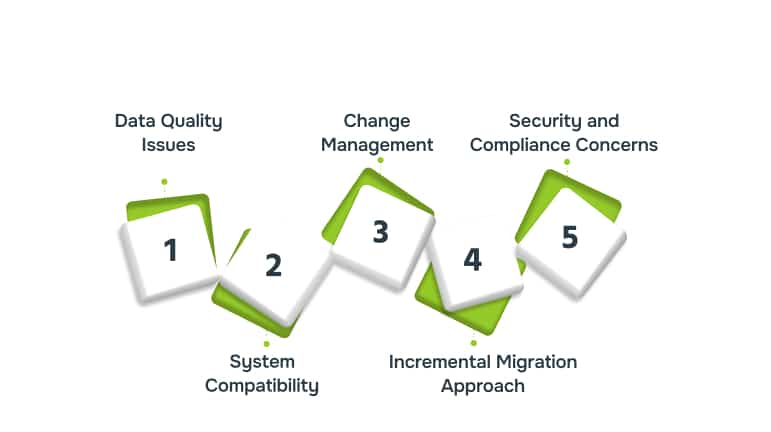
While migrating to Dynamics 365 can offer numerous benefits, it comes with its own set of challenges. Here are some of the most common challenges and the best practices to follow for successful Dynamics 365 data migration:
1. Data Quality Issues
Migrating poor-quality data can lead to discrepancies, errors, and disruptions in business operations. Common challenges include duplicate records, outdated information, and missing data. To address this, a thorough data cleansing process is essential to remove duplicates, correct inaccuracies, and ensure only relevant and accurate data is migrated.
2. System Compatibility and Integration Challenges
Legacy systems often use different data formats or incompatible APIs, which can lead to integration issues during migration. Using the right migration tools and ensuring proper API compatibility can help mitigate these risks and guarantee smooth integration with Dynamics 365.
3. Change Management and User Adoption
Adopting a new system like Dynamics 365 can meet resistance from employees who are used to old workflows. This resistance can hinder system effectiveness and create operational disruptions. To overcome this, it’s important to provide adequate training, offer support, and communicate the benefits of the new system to employees.
4. Incremental Migration Approach
Migrating data in phases, rather than all at once, allows businesses to identify issues early and resolve them without disrupting operations. Incremental migration reduces downtime by allowing old and new systems to run concurrently, ensuring that critical business functions remain operational during the transition.
5. Security and Compliance Concerns
Migrating sensitive business data raises significant security and compliance risks, especially for industries with stringent regulatory requirements. Potential issues include data breaches, insecure data transfers, and failure to meet compliance standards like GDPR. Ensuring that migration is conducted securely, with encrypted transfers, strong access controls, and compliance checks, helps mitigate these risks.
Handling these complexities is easier with an experienced partner. Here’s how Alberon’s proven expertise ensures your Dynamics 365 migration is secure and strategically aligned with your goals.
Why Choose Alberon for Your Dynamics 365 Data Migration?
When it comes to migrating your business data to Microsoft Dynamics 365, Alberon stands out as a trusted partner. Specialising in custom software development and legacy system modernisation, our team has extensive expertise in handling complex data migrations for businesses of various sizes and industries.
Our Microsoft dynamic solutions include:
- Tailored CRM/ERP Customisation: Alberon specialises in customising Dynamics 365 applications to align with unique business processes, ensuring that the system supports specific operational needs and workflows.
- Process Automation: By automating routine tasks and workflows within Dynamics 365, Alberon helps businesses reduce manual effort, minimise errors, and accelerate operations, leading to improved productivity.
- Secure System Integration: Alberon ensures that Dynamics 365 integrates seamlessly with existing systems and data sources, maintaining data integrity and security throughout the migration process.
These capabilities make Alberon a valuable partner for businesses seeking a smooth and efficient migration to Dynamics 365.
Conclusion
Migrating to Microsoft Dynamics 365 can significantly enhance your business operations, providing better data management, advanced analytics, and seamless integration with other Microsoft tools. A well-planned migration strategy, focusing on data quality, proper mapping, and thorough testing, is essential to ensuring a smooth transition and maximising the benefits of the platform.
With the right approach, such as involving key stakeholders, conducting incremental migrations, and providing thorough user training, you can minimise risks and disruptions. By choosing a trusted partner like Alberon, you can ensure a seamless migration process that aligns with your business goals and ensures long-term success.
Alberon’s Microsoft Dynamics 365 solutions help organisations optimise CRM and ERP to enhance efficiency, data management, and security, saving time and budget. Contact Alberon today to discuss how our expert team can help you set your organisation up for long-term success.
FAQs
1. Can I migrate my data from multiple legacy systems to Dynamics 365 at once?
Yes, migrating data from multiple systems is possible, but it requires careful planning and the use of integration tools to ensure data consistency and avoid conflicts.
2. Will Dynamics 365 support my custom fields during migration?
Custom fields in your legacy system can be mapped to Dynamics 365, but some customisations may need to be recreated or adjusted to fit the new system’s data model.
3. Do I need to stop using my legacy system during the migration?
Not necessarily. Many businesses adopt an incremental migration strategy where both systems run in parallel, minimising disruptions while the migration is completed.
4. How do I handle historical data that’s no longer needed?
You should assess whether historical data is essential for business operations. If not, it’s best to archive or discard outdated data before migrating to streamline the process.
5. What happens if the migration process encounters errors or fails midway?
It’s crucial to have a backup and rollback plan in place. If issues arise, the migration should be paused, the errors identified, and the data corrected before proceeding to ensure data integrity.
Ready to Improve your Business Productivity
Get a trusted partner to navigate your digital transformation. With Alberon, you can ensure a smooth transition, clear communication, and peace of mind.