
Dynamics 365 for Connected Manufacturing Transformation
Optimise operations with Dynamics 365 connected manufacturing. Streamline production, supply chain, and service for smarter decisions. Explore now.
Want to make your Microsoft 365 work harder for your business?
and we’ll tailor a solution that’s just right for you.
Manufacturing teams often spend too much time just trying to find the right information. When systems don’t talk to each other, mistakes happen and costs add up. Disconnected data can cost businesses around £2.3 trillion a year.
Dynamics 365 for Connected Manufacturing consolidates everything into a single view. Instead of jumping between separate tools, teams can see the full concept, resulting in a 15% increase in shop floor efficiency and 85% fewer unexpected stoppages.
Work flows faster when production, inventory, and customer systems are linked automatically. Orders move out the door 40% quicker. Teams can focus on keeping operations smooth instead of fixing broken processes.
This article explores how connected manufacturing with Dynamics 365 helps teams run operations more efficiently and act on real-time data. It covers key ideas, common challenges, and practical steps toward transformation.
Essential Highlights:
- Data Visibility Matters: Disconnected systems waste time and obscure critical production and inventory insights.
- Unified Platform Impact: Dynamics 365 links production, supply chain, and customer data for faster, smoother operations.
- Function-Level Coordination: Each function, from production to service, works in sync with live data for smarter decisions.
- Preparation Is Key: Clean data, align identifiers, and train teams before connecting systems to ensure success.
- Modules That Drive Action: Supply Chain, Field Service, Sales, Customer Service, Power BI, and IoT enable end-to-end operational control.
The Intelligence Behind Connected Manufacturing
Connected manufacturing brings machines, people, and systems together through shared data. Sensors on the production floor track every move, feeding real-time insights into analytics that spot trends and flag potential issues.
That data doesn’t stay isolated. It flows into customer and inventory systems, keeping everything up to date automatically. The result? Faster, smarter decisions across the entire operation.
To turn that vision into reality, manufacturers need a platform that not only connects their data but makes it work seamlessly across every part of the business.
Why Dynamics 365 Is Built for Connected Manufacturing
Dynamics 365 runs on a single data model that links CRM, ERP systems, IoT, and supply chain systems under one roof. Customer details, production orders, equipment data, and financial records all stay connected to the same source. When something changes, every related part of the system updates automatically.
That means no more manual syncing or waiting for reports to catch up. Everyone, from sales to production to procurement, sees the same live data.
Here’s how that plays out in daily operations:
- When a sales rep marks a deal as won, the production planner sees the demand forecast instantly.
- When a machine finishes a batch, inventory is adjusted immediately without requiring end-of-shift entries.
- When a technician logs parts used, procurement knows what to reorder before stock runs out.
It also integrates seamlessly with other essential tools on the shop floor. Pre-built connectors link Dynamics 365 with MES systems, Power BI, and Azure IoT.
Data from PLCs flows into Azure IoT Hub and then straight into Dynamics 365 Supply Chain Management. Power BI reads from the same data lake, so dashboards always show what’s happening now, not yesterday.
Also Read: Complete Guide to Software Development Outsourcing 2025
That’s why Dynamics 365 aligns so well with connected manufacturing. It was built for industries where operations and business data move together. However, before that alignment can deliver real impact, manufacturers must first overcome a set of persistent challenges that are holding their operations back.
The Gaps Dynamics 365 Is Built to Bridge
Most manufacturers rely on systems that can’t easily share data. Planners wait for spreadsheets while sales asks for updates. The data exists, but obtaining it requires too much manual work.
Nearly three-quarters of manufacturers (74%) still rely on legacy systems and spreadsheets, believing that disconnected, often outdated data is “good enough” for decision-making.
Traceability is a guessing game. A defect report can take two days to trace through old databases, inspection sheets, and raw material records. Forecasting suffers when historical data is locked away. Planners overstock some items and understock others, letting costs climb quietly.
Global operations make it worse. Different plants run different software, so pulling a single inventory report can take three people a week. Here’s a quick view of how Dynamics 365 helps fix these common challenges:
| Challenge | How Dynamics 365 Solves It |
| Data silos | Connects systems in real time so teams see accurate data instantly without manual exports. |
| Poor traceability | Links every batch and component in unified records, helping trace issues in minutes. |
| Inaccurate forecasting | Uses live demand and historical data to predict needs more accurately and reduce guesswork. |
| Disconnected global sites | Syncs data from all plants for consolidated reporting and faster, confident decisions. |

With these challenges addressed, the true power of Dynamics 365 shines through in how it brings every part of manufacturing together.
How Dynamics 365 Connects Every Function in Manufacturing
Every part of manufacturing, from the shop floor to customer service, generates data that can be put to work. Dynamics 365 brings these pieces together so teams see what’s happening in real time, spot patterns, and act without waiting for reports to be compiled.
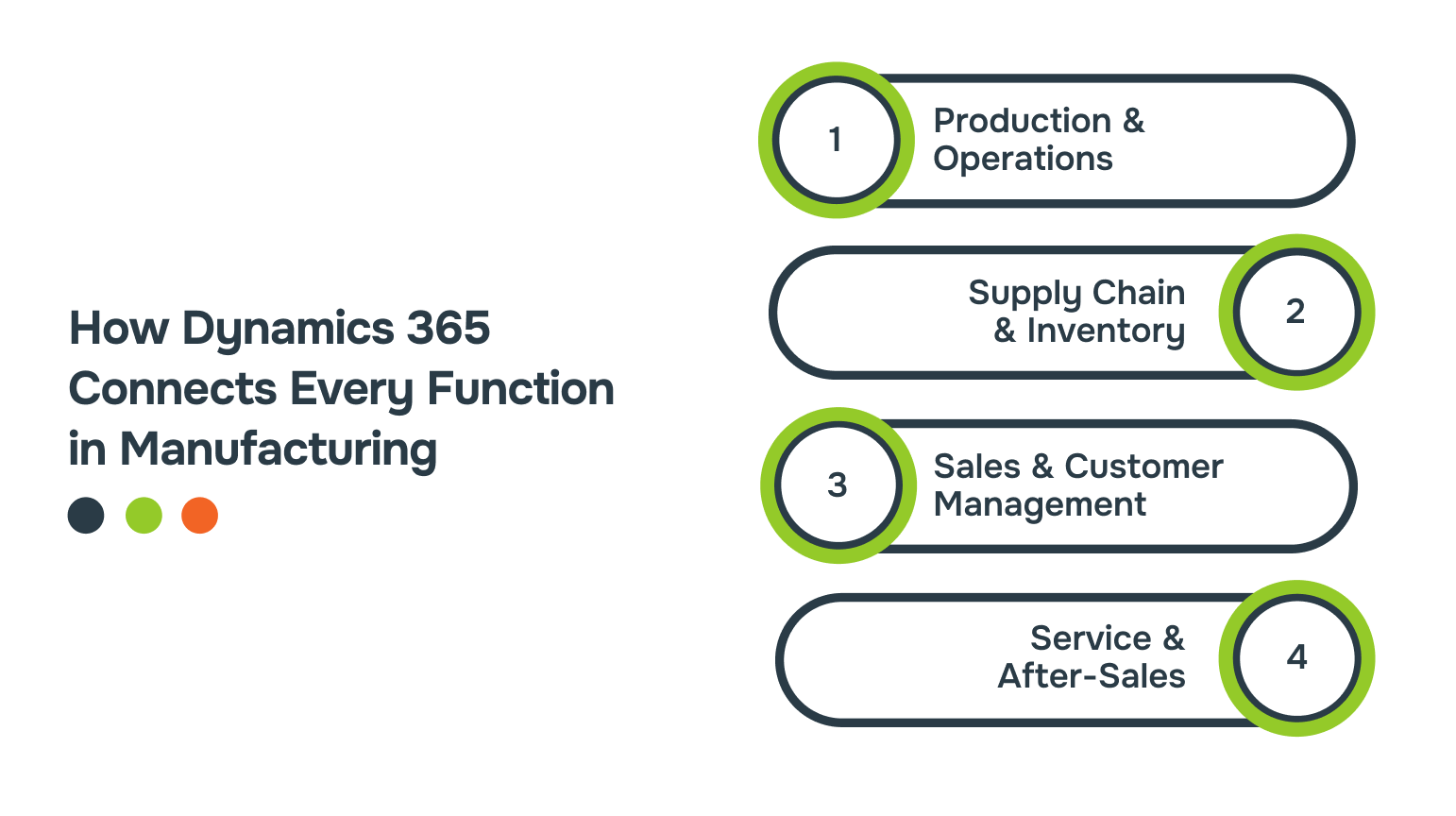
Here’s how each function connects and works as one system.
1. Production and Operations
MES integration with Dynamics 365 Supply Chain Management captures real-time work order completions, scrap rates, and cycle times. Equipment like laser cutters report current jobs, material use, and settings directly to production dashboards, enabling supervisors to monitor OEE across all assets simultaneously.
The system flags issues such as consistent cycle time delays or rising defect rates, alerting quality and maintenance teams. Maintenance schedules adjust dynamically based on runtime and operating conditions rather than fixed dates.
2. Supply Chain and Inventory
AI-powered forecasting in Dynamics 365 uses historical trends, seasonality, and external risks, like commodity volatility or shipping delays, to recommend precise order quantities. These data-driven practices are becoming standard as UK manufacturers invest over £30B in capital assets and £20B in R&D annually to modernise supply chains.
That shift is paying off: output per hour rose 1.5% in Q2 2025, driven in part by smarter forecasting and inventory control. Suppliers connect via secure portals to view forecasts, schedules, and performance data, while pricing changes automatically update margins in real time.
3. Sales and Customer Management
Dynamics 365 CRM turns quotes into production work orders automatically. When customers configure product variants, those details become manufacturing specs, and production schedules update with material needs already calculated.
Field service data links directly to customer accounts, so service histories and technician notes are instantly available during support calls, helping teams respond faster and smarter.
4. Service and After-Sales
IoT sensors detect issues early, triggering maintenance before equipment fails. Warranty claims automatically pull in production details, streamlining the problem-solving process.
Online orders flow smoothly through scheduling with automatic stock reordering and shipment tracking, while field service handles installation. Customer feedback keeps product reliability fresh and connected, reducing manual work.
Also Read: Business Process Optimisation: Step-by-Step Guide
With a clear view of how Dynamics 365 unifies every function, the next step is ensuring your data and teams are ready to fully utilise this connected manufacturing transformation.
Preparing for Connected Manufacturing Transformation
Before connecting systems, start by tidying your data. Make sure part numbers match, clean up customer records, and check production details like run times and scrap counts. You don’t need to replace working machines. Most MES systems can feed data straight into Dynamics 365 using standard protocols like OPC UA, MQTT, or REST APIs.
Also, help teams see each other’s perspective. Production understands what customer service sees, sales knows why rush orders can’t always move faster, and finance gets accurate cost insights. When everyone sees the bigger picture, working together feels easier.
Here’s a practical checklist to guide your preparation:
- Conduct a full data audit for accuracy and completeness
- Clean customer records and production data before integration
- Verify part numbers and other critical identifiers match across systems
- Plan how existing MES systems will feed data into Dynamics 365
- Train teams across functions to understand shared data and workflows

With the foundation in place, companies often look to partners like Alberon to ensure that the systems, data, and workflows they’ve prepared work seamlessly in daily operations.
Bringing Dynamics 365 to Life with Alberon
Once production, supply chain, and customer processes are connected through Dynamics 365, there are areas where extra support makes operations run more smoothly.
Alberon helps by improving how Dynamics 365 works for the way your teams actually operate. This ensures that everything stays in one place and works practically on a day-to-day basis.
Here’s how Alberon works with Dynamics 365:
- Creates secure dashboards to highlight operational insights and key metrics
- Connects legacy MES systems to Dynamics 365 without interrupting production
- Builds systems that grow as your manufacturing operations expand
- Provides a dedicated project manager for clear communication and smooth coordination
- Follows strong security practices to protect sensitive production and operational data
With this setup, your data stays connected, processes stay visible, and your team can act on insights quickly. It complements Dynamics 365 while addressing the unique needs of your manufacturing environment.
Core Dynamics 365 Components for Connected Manufacturing
Dynamics 365 has several modules that handle different parts of manufacturing operations. Each one focuses on specific tasks while feeding data into the system. Here’s a closer look:
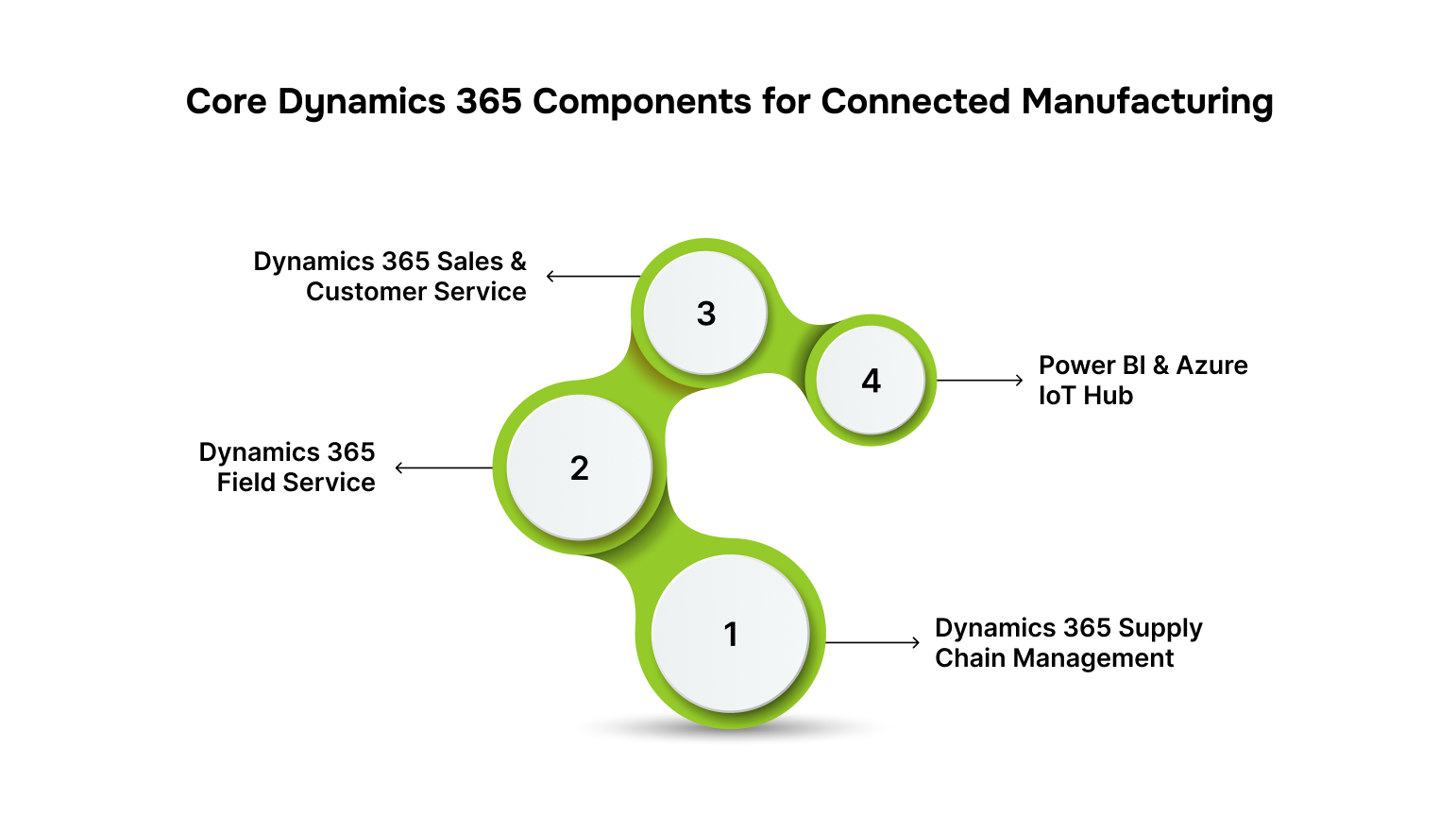
- Dynamics 365 Supply Chain Management handles production planning, warehouse tasks, transportation logistics, and scheduling asset maintenance. It calculates material needs, generates purchase requests, and organises inventory across locations.
- Dynamics 365 Field Service helps manage technician assignments, track service contracts, and create mobile work orders. Technicians can access equipment history and manuals on tablets. The system plans routes and schedules maintenance based on how equipment is used.
- Dynamics 365 Sales & Customer Service track opportunities, create quotes, handle contract renewals, and manage support tickets. Account information is shared between teams so sales and service can work with the same data.
- Power BI & Azure IoT Hub turn data into dashboards and analytics. Power BI allows metric exploration and custom reports. Azure IoT Hub collects telemetry from equipment, validates it, and routes it for analysis. Together, they extend the system to include factory-level data.
Also Read: Key Features of Dynamics 365 Customer Service
Together, these modules handle their tasks while keeping the full operation visible and manageable.
Conclusion
Dynamics 365 turns disconnected production, supply chain, and customer processes into one clear system. Teams can act on real-time data, identify issues more quickly, and make informed decisions across all operations. Connected manufacturing becomes practical, with visibility and coordination across every function.
For businesses seeking additional support, partners like Alberon can help ensure that workflows remain aligned and systems remain secure and scalable alongside Dynamics 365.
Connect with Alberon to see how Dynamics 365 can support a practical, connected manufacturing setup for your business.
FAQs
Q: Can Dynamics 365 help with compliance and industry standards in manufacturing?
A: Yes. Dynamics 365 can track regulatory requirements, safety checks, and audit logs across production and inventory. This helps manufacturers maintain compliance without the need for manual review of multiple systems.
Q: How does Dynamics 365 support workforce management on the shop floor?
A: It allows managers to schedule shifts, track labour hours, and monitor skill sets. Teams get notifications for task assignments, and HR can plan training based on actual production demands.
Q: Does Dynamics 365 enable sustainability tracking in manufacturing?
A: Yes. You can monitor energy consumption, waste generation, and carbon footprints. These insights help manufacturers optimise resource usage and meet environmental goals.
Q: Can small or medium manufacturers benefit from Dynamics 365?
A: Absolutely. The platform scales according to operations, allowing smaller manufacturers to adopt connected manufacturing practices without a full-scale enterprise setup.
Q: How does Dynamics 365 support maintenance planning beyond reactive repairs?
A: It provides tools for predictive maintenance by analysing equipment trends over time. Manufacturers can plan downtime strategically, reducing the impact on overall operations.
Ready to Improve your Business Productivity
Get a trusted partner to navigate your digital transformation. With Alberon, you can ensure a smooth transition, clear communication, and peace of mind.