Top Business Intranet Solutions for 2025
Discover the top business intranet solutions for 2025 to improve communication, collaboration, and workflow efficiency. Find the right platform today.

Want to make your Microsoft 365 work harder for your business?
and we’ll tailor a solution that’s just right for you.
When teams can’t find the right info, work slows and small mistakes turn into bigger problems. Leaders spend hours chasing updates instead of focusing on priorities.
Disconnected tools only add to the confusion. Employees duplicate work, miss steps, or struggle to track progress across systems. Putting the right internal systems in place helps restore structure and momentum, so teams can stay aligned as the business grows.
This article explores the top intranet solutions for 2025. It shows which platforms fit your company’s size, workflow needs, integration setup, and rollout plan so you can pick the right one with confidence.
Essential Highlights:
- Internal Chaos Slows Work: Disconnected tools and scattered information create mistakes and slow teams down. A central system restores clarity.
- Intranet Defined: A business intranet is a private platform that centralises updates, documents, and workflows while keeping data secure.
- Features That Matter: Easy access, integration with existing tools, role-based permissions, mobile access, and analytics determine if an intranet actually improves daily workflows.
- Top Platforms for 2025: Solutions vary from Microsoft SharePoint and Simpplr to Confluence and Staffbase, each offering unique features suited to different team sizes and needs.
- Choosing and Optimising: Select a platform based on team structure, tool integrations, onboarding support, and adoption strategy to ensure it fits real-world workflows.
What Is a Business Intranet Solution?
A business intranet is a private, secure platform that helps your team stay connected, organised, and productive. It centralises documents, updates, and workflows in one place, unlike scattered tools or chat apps. Intranets can be cloud-based, hybrid, or on-premises, giving businesses flexibility around access and compliance.
Knowing what a business intranet looks like and how it’s structured makes it easier to see the difference it can make across your teams.
The Value a Business Intranet Brings to Your Team
A well-structured intranet makes it easier for employees to stay on top of what matters each day. Instead of hunting for information or asking colleagues repeatedly, everything is clear and in one place. This clarity sets the stage for smoother collaboration and better workflow.
Here’s how it helps your team work smarter:
- Clear updates and announcements: Employees see the right information at the right time. Teams using intranets report that collaboration improves by 92%.
- Central knowledge repository: Guides, procedures, and reference materials are easy to find when needed.
- Better project coordination: Tasks and responsibilities across departments are visible, which can enhance overall productivity by up to 25%.
- Controlled access to sensitive information: Data is protected, and permissions can be set by role or department for security and compliance.
Also Read: Complete Guide to Software Development Outsourcing 2025
With these benefits in place, the next step is seeing what actually makes an intranet fit seamlessly into your team’s daily workflow.
Features That Make Intranets Work for Real Teams
A long feature list doesn’t mean people will use the platform. What matters is whether it fits into real workflows and actually makes things easier.
Here’s what actually works in practice:
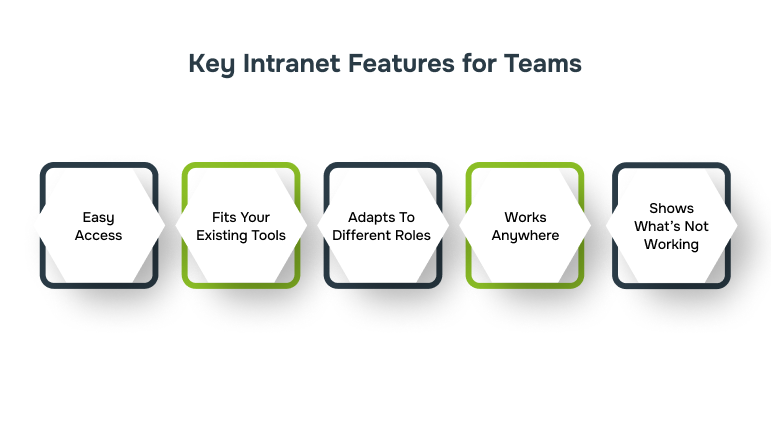
- Easy access: If people can’t find what they need fast, they give up. But access shouldn’t be buried behind approvals either. A good intranet keeps info secure but simple to reach.
- Fits your existing tools: If it doesn’t connect with Microsoft 365, Google Workspace, HR systems, or CRMs, it turns into just another tab. The best ones blend into the tools people already use every day.
- Adapts to different roles: Every department handles data differently. Custom permissions make sure each team sees what matters most without overexposing sensitive files.
- Works anywhere: Mobile access keeps remote or hybrid teams in sync. Whether you’re on-site or travelling, updates and files stay within reach.
- Shows what’s not working: Logins don’t prove engagement. Real analytics help spot content that’s ignored or workflows that stall, so you can fix them early.
Understanding how these features shape daily workflows helps determine which platforms bring them to life most effectively.
10 Best Intranet Platforms for Business in 2025
Picking an intranet isn’t just about having a list of features. Some make it easy to pull in the tools your team already uses. Others help people actually see updates and stay connected.
A few keep everything secure without slowing anyone down. How your team works day-to-day, how you communicate, share info, and track projects, decides which platform will fit best.
Let’s look at the top intranet solutions for 2025:
1. Microsoft SharePoint
If your business runs on Microsoft 365, SharePoint fits right in. It links directly with Teams, OneDrive, and Outlook, making document sharing and version control seamless. It’s built for scale and structure, best when you’ve got multiple departments or compliance-heavy work that needs everything under one system.
Key Features:
- Advanced AI Integration: Utilises AI capabilities to automate tasks, enhance search functionalities, and provide personalised content recommendations.
- Enhanced Security Protocols: Offers advanced security features to protect sensitive organisational data.
- Customisable Workflows: Allows businesses to tailor workflows to meet specific organisational needs.

Also Read: SharePoint Security Best Practices for Enhanced Protection
2. Simpplr
Simpplr takes a smarter route to intranets. Its AI keeps feeds personal, highlights what matters to each user, and removes clutter that slows teams down. Companies use it when engagement is low and communication feels scattered. It quietly brings order without forcing big process changes.
Key Features:
- AI-Powered Personalisation: Delivers customised content and recommendations to users based on their roles and preferences.
- Seamless Integration: Easily integrates with existing tools like Microsoft 365 and Google Workspace.
- Mobile Accessibility: Ensures employees can access the intranet on the go, enhancing flexibility.
3. Workvivo
Workvivo combines traditional intranet functionalities with social media-like features, promoting a culture of communication and engagement across the organisation. It’s particularly beneficial for companies aiming to enhance internal communication and employee morale.
Key Features:
- Social Feeds: Encourages open communication through news feeds, posts, and comments.
- Employee Recognition: Facilitates peer-to-peer recognition, boosting morale and engagement.
- Integrated Tools: Combines communication, collaboration, and recognition in a single platform.
4. Happeo
Happeo plays well with Google Workspace, pulling your Drive, Calendar, and Gmail into one hub. It helps teams create pages, share updates, and find files without switching tabs all day. It’s popular among companies that want structure without losing Google’s flexibility.
Key Features:
- Content Targeting: Delivers personalised content to specific teams or departments.
- Centralised Hub: Provides a single platform for news, documents, and discussions.
5. Unily
Unily is built for scale. Global companies use it to keep offices on the same page. Its multilingual setup, branding options, and analytics give leaders control over how people connect, regardless of where they work.
Key Features:
- Multi-Language Support: Caters to a global workforce with multilingual capabilities.
- AI-Driven Insights: Provides analytics to measure engagement and optimise content.
- Custom Branding: Allows organisations to personalise the intranet’s appearance to align with their brand identity.
6. MangoApps
MangoApps blends the best of communication and collaboration. You get project spaces, chats, tasks, and knowledge hubs in one place. It works well for mid-sized companies that outgrew Slack or Drive but don’t need a complex enterprise portal.
Key Features:
- Modular Design: Enables businesses to select and implement features as needed.
- Integrated Communication Tools: Combines chat, video, and document sharing for seamless collaboration.
- Employee Engagement Tools: Includes surveys, polls, and recognition features to elevate morale.
7. Staffbase
For frontline teams who don’t sit at desks, Staffbase keeps things simple. It brings company news, updates, and recognition tools to mobile devices. Retail, healthcare, and logistics teams use it to make sure everyone stays in the loop.
Key Features:
- Mobile App: Provides a dedicated mobile application for easy access.
- HR System Integrations: Connects with platforms like Workday and SAP SuccessFactors.
- Push Notifications: Delivers real-time updates directly to users’ devices.
8. Jostle
Jostle simplifies the intranet experience by focusing on essential features that enhance communication and engagement. Its intuitive design ensures that employees can easily guide and utilise the platform.
Key Features:
- Targeted News Delivery: Ensures relevant information reaches the right audience.
- Employee Directory: Facilitates easy access to colleague information.
- Feedback Mechanisms: Includes tools like polls and surveys to gather employee input.
9. Igloo Software
Igloo focuses on doing a few things very well. Secure document sharing, permissions, and internal content management. Teams that deal with confidential data or audits use it to keep collaboration controlled but open.
Key Features:
- Document Management: Offers strong tools for organising and securing documents.
- Compliance Tools: Ensures that content management meets industry standards.
- Custom Workflows: Allows businesses to create workflows customised to their processes.
10. Confluence (by Atlassian)
Confluence turns messy notes and project updates into a living knowledge base. It’s especially handy for tech teams already using Jira, helping them capture learnings, processes, and documentation in one shared space.
Key Features:
- Collaborative Editing: Allows multiple users to edit documents simultaneously.
- Integration with Atlassian Suite: Seamlessly connects with Jira, Trello, and other tools.
- Version Control: Tracks changes and maintains document history.
To make it easier to compare these platforms at a glance, here’s a table summarising their core focus, ideal business size, deployment options, standout features, and pricing tiers.
| Platform | Target Business Size | Standout Feature | Integration Level | Deployment Type | Pricing Tier (Approximate) |
| Microsoft SharePoint | Enterprise-level | Deep integration with Microsoft 365 | High | Cloud, Hybrid, On-premise | $5-$12.50/user/month |
| Simpplr | Mid to Large-sized | AI-driven personalisation and engagement | High | Cloud | Custom pricing based on size and support |
| Workvivo | Mid-sized businesses | Employee engagement and communication | High | Cloud | From $20,000/year |
| Happeo | Small to Large-sized | Google Workspace integration | High | Cloud | From $21,210/year |
| Unily | Large enterprises | Global collaboration and scalability | High | Cloud | Custom pricing based on modules and users |
| MangoApps | Mid-sized businesses | Modular platform with flexible pricing | High | Cloud | From $299/month |
| Staffbase | Mid to Large-sized | Mobile-first communication | High | Cloud | From $30,000/year |
| Jostle | Small to Mid-sized | Simplified employee communication | Moderate | Cloud | From $75/month |
| Igloo Software | Mid to Large-sized | Secure document management | High | Cloud | Custom pricing based on needs |
| Confluence (Atlassian) | Mid to Large-sized | Wiki-style knowledge collaboration | High | Cloud | From $10/user/month |
Note: Pricing is approximate, may vary by region/user count/add‑ons.
Also Read: Bespoke Application Development: A Complete Guide
With so many options offering different strengths and setups, knowing how to match a platform to your team’s needs becomes the real deciding factor.
How to Select the Best Intranet for Your Organisation
Choosing the right intranet starts with looking at how your team actually works. A tool that’s perfect for one group might slow another down. Next, check which systems your team relies on. The intranet should connect with your CRM, HR software, or other key tools. If it doesn’t, people may avoid using it, and workflows get messy.
Also, plan for rollout and adoption. Teams need clear instructions, simple onboarding, and support they can rely on. Without it, even the best platform risks being ignored.
Here’s a quick checklist to guide your choice:
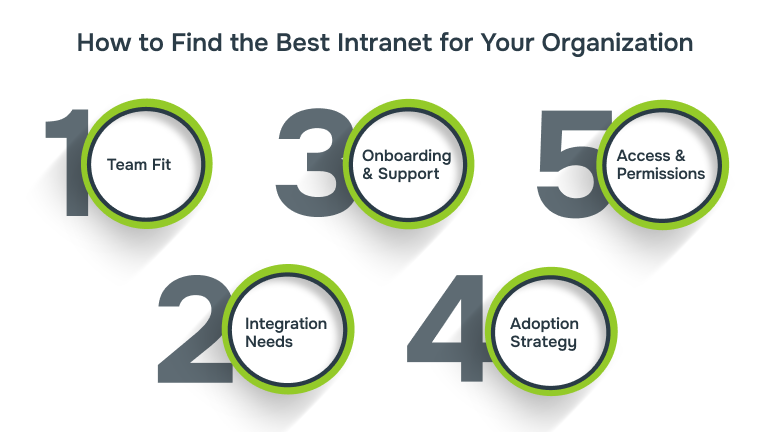
- Team Fit: Does it scale with your team size and departmental structure?
- Integration Needs: Can it connect with your CRM, HRMS, and other essential systems?
- Onboarding & Support: Are training materials, tutorials, and responsive support included?
- Adoption Strategy: Is there a plan to track engagement, measure success, and adjust workflows?
- Access & Permissions: Can you set granular controls for different teams or roles?

This approach ensures you pick an intranet that truly works for your organisation, instead of forcing teams to adapt to the tool. Keeping these factors in focus, let’s discover how Alberon can elevate your intranet to better serve your team’s needs.
Making Your Intranet Work Smarter with Alberon
Once you pick the right intranet, the next step is making it work smoothly with your existing systems. You want your platforms and applications to share information seamlessly so your teams can stay productive. Here’s how you can achieve that with Alberon:
- Connect with your systems: Link the intranet to your legacy applications, databases, and web tools so information moves easily across teams.
- Guided setup: Work closely with a dedicated project manager who ensures the system fits your workflows and keeps operations running smoothly.
- Keep data secure: Follow strict development, hosting, and update practices to protect sensitive information and stay compliant with UK regulations.
- Scale as you grow: Update features, integrate new tools, or expand the system without slowing down your operations.
- Support after launch: Monitor performance and apply updates to make sure the intranet continues to meet your business needs and keeps teams productive.
With this approach, your intranet becomes more than a communication platform. It turns into a connected, secure system that grows with your business and supports how your teams actually work.
Conclusion
Choosing the right intranet is just the start. Success comes when it fits your team, adapts to changing needs, and actually helps people get work done. The tools and integrations you pick matter, but how the platform works in day-to-day routines decides whether it makes a real difference.
At Alberon, we don’t just build software. We create scalable, secure solutions that grow with your business. From setup and integration to ongoing support, we help your intranet evolve with your operations, making every update and workflow smoother and more efficient.
Connect with Alberon to discover how your intranet can work smarter for your business.
FAQs
Q: Can intranets support employee onboarding?
A: Yes. Intranets can host onboarding materials, training modules, and policy documents so new hires can get up to speed without relying on multiple emails or documents.
Q: How do intranets handle knowledge retention when employees leave?
A: Intranets store workflows, guides, and project documentation centrally. This ensures institutional knowledge stays accessible even when team members move on.
Q: Are intranets useful for managing company events or internal campaigns?
A: Absolutely. Many intranets offer calendars, event pages, and announcement boards to organise events, track RSVPs, and communicate campaigns internally.
Q: Can intranets help with employee feedback or surveys?
A: Yes. Platforms usually include tools for collecting feedback, running polls, or conducting employee surveys, making it easier to gauge engagement or get insights.
Q: Do intranets support document version control?
A: Yes. Advanced intranets track document versions automatically. Teams can see updates, compare edits, and revert to previous versions when needed.
Ready to Improve your Business Productivity
Get a trusted partner to navigate your digital transformation. With Alberon, you can ensure a smooth transition, clear communication, and peace of mind.