
Low Code Software Development: Expert Guide to Rapid Delivery
Learn low code software development strategies to speed up app delivery, simplify processes, and boost productivity. Explore the guide today.

Want to make your Microsoft 365 work harder for your business?
and we’ll tailor a solution that’s just right for you.
You’ve been there: juggling tight deadlines, managing a team stretched too thin, and trying to deliver software that actually works for the business. Every new project seems to demand more time, more resources, and more coordination than anyone realistically has. It’s frustrating, and you probably feel like no matter how hard your team works, the technology stack keeps slowing you down.
We get it. You’re not just building apps. You’re trying to solve real problems, keep stakeholders happy, and make sure every solution scales and stays secure for your UK business. Traditional development approaches often make this harder, adding complexity instead of simplifying workflows.
That’s where low-code software development can make a tangible difference. It doesn’t replace expertise, but it empowers UK SMEs to move faster, optimise workflows, and focus on solving business challenges rather than wrestling with endless lines of code. From automating internal processes to rapidly deploying customer-facing tools, low-code platforms help you regain control, cut delays, and deliver meaningful results.
Important Highlights
- Choose the Right Approach for Your Needs: Understand when to use low-code, traditional development, or a hybrid strategy based on complexity, scalability, and business goals.
- Accelerate Delivery Without Sacrificing Control: Low-code platforms enable SMEs to build applications faster while maintaining oversight over security, compliance, and integrations.
- Engage Both IT and Business Teams: Collaboration between technical and non-technical stakeholders ensures applications reflect real workflows and reduce bottlenecks.
- Validate Platforms Before Commitment: Assess features, integration options, and compliance capabilities to ensure the platform aligns with your organisation’s current and future needs.
Why Low-Code Is Key to Faster, Smarter Application Delivery?
Building applications the traditional way can be time-consuming, costly, and resource-intensive. Businesses often struggle to keep up with evolving requirements, internal process demands, and customer expectations. Low-code platforms address this challenge by enabling faster application development with visual interfaces, pre-built components, and drag-and-drop functionality.
While low-code significantly reduces development time, it does not entirely replace traditional coding. Complex logic, integrations, and custom workflows still require technical expertise. By adopting low-code, organisations can accelerate delivery, empower citizen developers, and reduce bottlenecks, all while maintaining control over security and scalability.
This sets the stage to understand how low-code differs from other emerging development approaches.
Low-Code vs No-Code for UK Businesses
While both low-code and no-code platforms aim to make application development faster, they serve different needs and audiences. Understanding the differences can help you choose the right approach for your business goals.
| Feature | Low-Code | No-Code |
| Target User | Developers + Business Users | Non-technical Business Users |
| Customisation | Moderate to High | Limited |
| Use Cases | Internal Tools, CRM, ERP Modules | Simple apps, forms, workflows |
| Flexibility | Can extend with custom code | Minimal coding |
| Integration | Supports complex integrations | Limited integration options |
| Scalability | Suitable for enterprise-grade apps | Best for small-scale applications |
| Learning Curve | Requires some technical knowledge | Very low; almost no coding needed |
Low-code vs Traditional Development for UK Businesses
Low-code and traditional development each serve different needs. Traditional coding offers full flexibility for complex applications, while low-code speeds delivery, lowers costs, and fosters collaboration. Knowing the strengths of both helps SMEs choose the right approach for each project.
Here’s a breakdown of how low-code compares with traditional development across key dimensions:
| Feature | Low-Code | Traditional Development |
| Speed of Delivery | Deploy functional applications in weeks using pre-built modules and drag-and-drop interfaces | Development from scratch can take months or years, depending on complexity |
| Cost | Lower initial and maintenance costs due to reduced dependency on specialised developers | Higher costs due to large development teams and long project timelines |
| Flexibility & Customisation | Flexible for most business applications; complex workflows may require some custom coding | Maximum flexibility; can build any feature or workflow, but takes longer and costs more |
| Team Collaboration | Enables business teams to contribute directly while IT oversees security and architecture | Often siloed; IT handles development with limited business input |
| Risk & Maintenance | Built-in monitoring, integrations, and deployment pipelines reduce long-term maintenance headaches | Requires ongoing updates, bug fixes, and scalability management by development teams |
Understanding the differences is just the first step. To truly utilise low-code, it’s essential to know how these platforms operate under the hood and what capabilities make them effective for rapid, reliable application delivery.

How Low-Code Works Differently from Traditional Development in the UK
Low-code platforms are designed to simplify application development without sacrificing control or functionality. Unlike traditional development that relies heavily on hand-coding, low-code solutions provide visual interfaces and pre-built components, enabling both professional developers and technically inclined business users to build applications efficiently.
1. Visual Drag-and-Drop Interface
At the core of low-code platforms is a visual, drag-and-drop interface. Developers can assemble workflows, user interfaces, and logic by arranging components on a canvas. This approach reduces manual coding, speeds up development, and makes it easier to iterate quickly on prototypes and final applications.
2. Pre-Built Modules and Templates
Low-code platforms come with a library of pre-built modules, including UI components, workflow templates, and integrations. These ready-made elements allow teams to deploy common features like forms, dashboards, and approvals, without starting from scratch. It reduces development time while maintaining flexibility for customisation where needed.
3. API Connectivity for External Systems
Modern business applications rarely exist in isolation. Low-code platforms typically include API connectors to integrate with external systems such as CRMs, ERPs, or cloud services. This ensures seamless data flow, improves accuracy, and eliminates the need for complex custom coding for system interoperability.
4. Built-In Deployment and Cloud Options
Low-code solutions often provide built-in deployment pipelines and cloud hosting options. This allows teams to test, deploy, and scale applications without worrying about infrastructure management. Cloud-based deployment also ensures accessibility, reliability, and easier maintenance over time.
High-Impact Low-Code Platforms That Actually Make Work Easier
Not all low-code platforms are created equal. Each platform offers unique features, complexity levels, and pricing models, making them better suited for specific business needs. Whether you’re automating internal workflows, building enterprise-grade applications, or creating customer-facing web apps, understanding the strengths of each platform helps you choose the right tool for faster, smarter development.
| Platform | Features | Use Cases |
| OutSystems | Drag-and-drop editor, API integrations, CI/CD | Enterprise apps, internal tools |
| Mendix | Pre-built templates, cloud deployment, and AI tools | ERP modules, mobile apps |
| Appian | Workflow automation, pre-built components | Process management, CRM integrations |
| Microsoft Power Apps | Connectors, templates, mobile-friendly apps | Internal tools, dashboards, forms |
| Zoho Creator | Drag-and-drop UI, cloud hosting, API support | Forms, workflows, custom apps |
When development timelines feel tight and integrating multiple systems becomes a juggling act, finding the right support can make all the difference.Alberon partners with SMEs to simplify low-code implementation, helping you build applications faster, integrate seamlessly, and scale with confidence. Our team works alongside yours, so you can focus on solving real business challenges instead of wrestling with technical complexity.
Request a consultation today. to see how Alberon can help your business get more from low-code.

What Makes Low-Code Such a Big Deal for Businesses Today?
Low-code platforms help businesses respond faster, adapt seamlessly, and involve teams beyond IT. By simplifying development and integration, they save time, cut costs, and enable scalable growth. Here’s a list of key benefits of adopting low-code platforms:
1. Faster Delivery Without Sacrificing Quality
Most leaders are not looking for the cheapest option. They want results delivered quickly without compromising on performance or security. Low-code speeds up delivery by eliminating repetitive groundwork. Instead of waiting for backend foundations to be built from scratch, teams can launch working prototypes within days, gather feedback early, and refine before investing heavily.
2. Predictable Costs Instead of Endless Invoices
Custom development becomes expensive not because the initial budget was wrong, but because every change request adds more billable hours. Low-code controls that risk. Since most components are reusable, modifications do not trigger complete rewrites. You invest in outcomes rather than time spent writing the same functions repeatedly.
3. Business Teams Can Contribute Instead of Waiting on IT
One of the biggest frustrations inside organisations is having to depend on IT for every change. Need to adjust an approval stage? Add a field to a form? Update a workflow? These should not require a full development sprint. Low-code allows operations, finance, or admin teams to participate directly, while IT maintains security and governance.
4. Built to Adapt Long After Go-Live
The real challenge is not just building software. It is keeping it relevant six months later. Whether there is a new compliance requirement or a change in internal processes, low-code platforms make updates feel like configuration work rather than redevelopment.
5. Easier Integration With Existing Systems
Most businesses want a single connected system, but struggle to make tools communicate with each other. Low-code simplifies integration through pre-built connectors for platforms such as Microsoft 365, Dynamics, and most enterprise databases. IT teams can link systems quickly without rebuilding every interaction from zero.
While low-code platforms offer significant advantages, it’s important to understand that they are not a one-size-fits-all solution. Awareness of their limitations helps businesses make informed decisions and plan for potential challenges before they arise.
What Low-Code Can’t Do: Risks You Should Know
Low-code platforms can boost development efficiency, reduce costs, and involve non-technical teams in building applications. However, like any technology, they come with trade-offs that leaders need to consider carefully. Understanding these risks ensures you can use low-code effectively without facing unexpected setbacks. Here’s a list of potential limitations and risks you should be aware of when adopting low-code platforms:
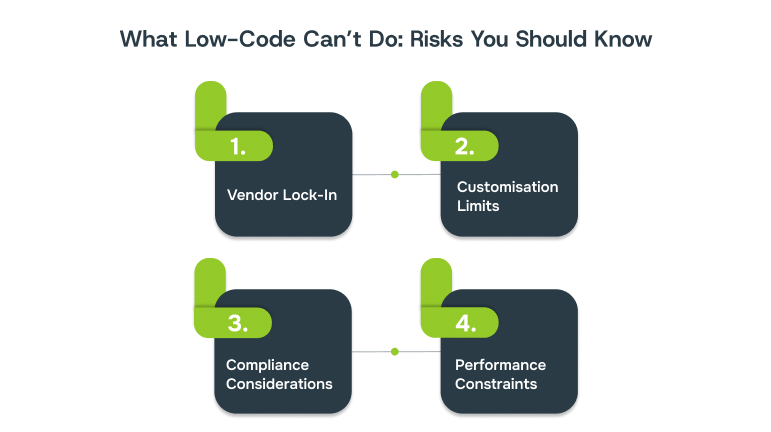
- Vendor Lock-In: One of the biggest challenges with low-code platforms is vendor dependency. Moving an application from one platform to another is rarely straightforward. Proprietary components, unique workflow logic, and platform-specific integrations make migration complex. Businesses should evaluate long-term flexibility and consider contingency plans before committing fully.
- Customisation Limits: Low-code is excellent for many applications, but highly complex, enterprise-grade systems may exceed its capabilities. If your workflows require advanced logic or very specific integrations, you may still need traditional coding. Understanding where low-code ends and custom development begins prevents surprises during project execution.
- Security and Compliance Considerations: Any platform handling sensitive business or customer data must comply with industry standards. Low-code platforms can support GDPR, HIPAA, and other regulations, but businesses must validate security measures, access controls, and compliance certifications. Failing to do so can expose organisations to risks, especially in regulated industries like healthcare, finance, or education.
- Performance Constraints: As applications grow in scale or user load, performance can become a limiting factor. Low-code platforms are generally optimised for small-to-medium workflows, and extremely high-demand enterprise applications may face latency or scalability issues. It’s important to assess performance benchmarks and future growth needs before adoption.
Understanding these limitations helps you recognise the scenarios where low-code alone may not fully meet your business needs. The next section explores practical situations where supplementing low-code with traditional development ensures robust, scalable, and compliant solutions.
When Low-Code Alone Isn’t Enough
Low-code platforms are powerful, but they have practical boundaries. Here are common scenarios where SMEs might need additional development support:
1. Highly Complex or Unique Workflows
If your business processes involve intricate logic, heavy computation, or industry-specific rules, low-code platforms may not offer the depth of customisation required. In these cases, traditional coding or a hybrid approach ensures that your application can handle all nuances without compromise.
2. Large-Scale Enterprise Applications
Applications that need to support thousands of concurrent users, handle massive data loads, or integrate with complex enterprise systems may exceed the performance limits of some low-code platforms. Combining low-code for rapid prototyping with traditional development for scaling critical components can be an effective strategy.
3. Advanced Security and Compliance Requirements
While most low-code platforms provide standard security and compliance features, highly regulated industries such as finance, healthcare, or government may require extra layers of encryption, auditing, or custom compliance mechanisms. Traditional coding can supplement low-code to meet these rigorous standards.
4. Deep System Integration Needs
Low-code platforms offer pre-built connectors for many tools, but some legacy systems or niche applications may need custom APIs or integrations. When integration complexity exceeds the platform’s capabilities, traditional development ensures smooth interoperability without disrupting existing workflows.
5. Full Control Over User Experience
Low-code platforms provide templates and drag-and-drop UI components, which may limit fine-grained control over design and functionality. For applications where user experience is a critical differentiator, hybrid approaches or full custom development may be necessary.
Now that you understand both the benefits and the limitations of low-code, the next step is deciding whether it aligns with your organisation’s goals, resources, and technical requirements.
How to Evaluate If Low-Code Is Right for Your Organisation
Not every business or project is a perfect fit for low-code. Use this checklist to assess whether low-code can genuinely deliver value for your organisation:
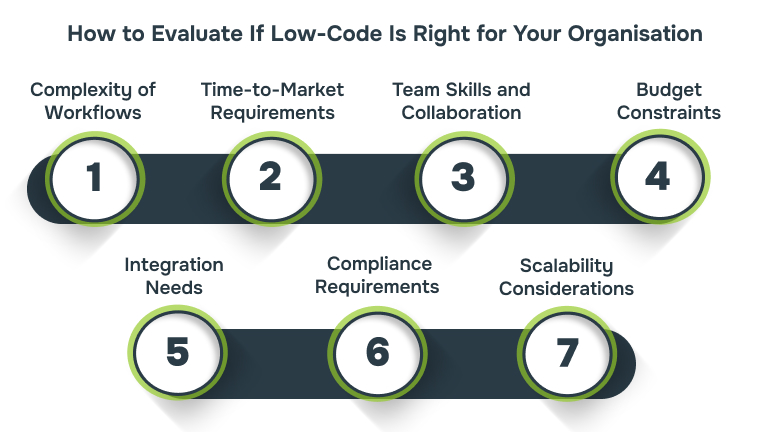
1. Complexity of Workflows
- Are your business processes straightforward or highly complex?
- Low-code is ideal for moderately complex workflows but may struggle with highly custom or computation-heavy applications.
2. Speed and Time-to-Market Requirements
- Do you need applications delivered quickly to respond to changing business needs?
- Low-code accelerates prototyping and deployment, allowing teams to test and iterate rapidly.
3. Team Skills and Collaboration
- Do you have developers available, or are you relying on business users to contribute?
- Low-code enables collaboration between IT and business teams, but some technical knowledge is still needed for integrations or complex logic.
4. Budget Constraints
- Are you under strict budget limitations?
- Low-code reduces development and maintenance costs but may not fully replace traditional coding for highly custom solutions.
5. Integration Needs
- Do you need to connect multiple legacy systems or external platforms?
- Evaluate whether the low-code platform provides the necessary connectors or if additional custom development will be required.
6. Security and Compliance Requirements
- Are you in a regulated industry (e.g., finance, healthcare, education)?
- Ensure the platform supports your organisation’s security and compliance needs before adoption.
7. Scalability Considerations
- Will your application need to handle a growing number of users, data volume, or feature expansions?
- Some low-code platforms may have performance limits, so anticipate future growth before committing.
Once you’ve decided that low-code is a good fit for your organisation, it’s crucial to understand how the development process unfolds. A structured lifecycle ensures that applications are delivered efficiently, remain scalable, and meet business requirements without surprises.
Step-by-Step Low-Code Development Lifecycle
Low-code development follows a clear, iterative process that balances speed with quality. Here’s a breakdown of the typical lifecycle:
1. Requirement Mapping
Start by documenting business needs, pain points, and objectives. Engage both IT and business teams to ensure workflows, approvals, and integrations are clearly defined. Proper requirement mapping reduces rework and sets realistic expectations for delivery timelines.
2. Platform Selection
Choose a low-code platform that aligns with your requirements, technical skills, and scalability needs. Consider factors such as pre-built modules, integration options, security features, and cost. The right platform sets the foundation for smooth development and future growth.
3. Prototyping
Develop a functional prototype or minimum viable product (MVP) using the platform’s visual drag-and-drop interface. Prototyping allows teams to validate ideas quickly, gather feedback, and refine workflows before committing to full-scale development.
4. Integration
Connect the application to existing systems such as ERP, CRM, or cloud-based tools. Low-code platforms often provide pre-built connectors, but for unique systems, some custom integration may be required. Proper integration ensures seamless data flow across the organisation.
5. Testing & Compliance
Conduct thorough testing to identify bugs, validate functionality, and ensure performance under expected load. Check compliance requirements, especially for industries handling sensitive data. This step ensures your application is secure, reliable, and regulatory-ready.
6. Deployment & Monitoring
Launch the application for end users, either on-premises or in the cloud. Monitor usage, gather feedback, and track performance metrics. Low-code platforms often include built-in monitoring and reporting tools, making it easier to iterate, scale, and maintain applications over time.
Following a structured low-code development lifecycle is essential, but having the right partner by your side can make the process even more effective.
Why Choose Alberon as Your Low-Code Partner
Choosing the right partner is critical when adopting low-code platforms. Alberon combines technical expertise with a deep understanding of SME challenges, ensuring that your low-code initiatives deliver real business value. Here’s why businesses trust Alberon:
1. Microsoft Power Platform & Dynamics 365 Expertise: Alberon uses Microsoft Power Platform services and Dynamics 365 solutions to help businesses build secure and scalable low-code applications. From workflow automation to internal dashboards, our expertise ensures that your applications are tailored to your processes and integrate seamlessly with existing systems.
2. Microsoft 365 Optimisation & SharePoint Services: We optimiseMicrosoft 365 environments, including SharePoint services, to improve collaboration, streamline document management, and automate repetitive tasks. Low-code applications built on these platforms help SMEs reduce manual effort and enhance productivity across teams.
3. Custom Software Development & Web Support: While low-code speeds up development, some projects may still require tailored functionality. Alberon provides custom software development and ongoingweb/software support, ensuring that all low-code applications are reliable, scalable, and aligned with your business goals.
4. Cybersecurity & Compliance Focus: Every solution is built with security and compliance in mind. Alberon offers training and best-practise guidance for safe low-code adoption, helping SMEs safeguard sensitive data and meet industry regulations while deploying applications rapidly.
Check out how Alberon can help you build scalable, secure applications that fit your business needs.Request a Consultation Today.

Conclusion
Low-code software development gives SMEs a practical way to get applications into use faster, reduce costs, and foster collaboration between IT and business teams. While it’s not a one-size-fits-all solution, understanding its strengths, limitations, and lifecycle helps organisations make informed decisions and combine low-code with traditional development strategically when needed.
By using platforms like Microsoft Power Platform and Dynamics 365, and partnering with experts like Alberon, SMEs can experience faster innovation, optimise workflows, and maintain control over security and compliance. Low-code empowers businesses to focus on solving real operational challenges rather than getting bogged down in repetitive coding tasks.
Contact today to explore how Alberon can help your organisation harness low-code development to build secure, scalable, and efficient applications.
FAQs
1. Can low-code platforms fully replace traditional development in SMEs?
Low-code can accelerate most business applications, but highly complex or enterprise-scale solutions may still require traditional coding. SMEs often benefit from a hybrid approach, using low-code for speed and prototyping while relying on custom development for advanced workflows.
2. How secure are low-code applications for sensitive business data?
Reputable platforms like Microsoft Power Platform offer built-in security and compliance features, but SMEs should still validate data protection, encryption, and regulatory compliance for their specific industry requirements. Partnering with experts ensures security isn’t compromised during rapid development.
3. Will low-code limit the future scalability of my applications?
Low-code platforms are excellent for rapid deployment and moderate scaling. However, apps with extremely high user loads, massive data processing, or intricate integrations may eventually require custom development or platform extensions to maintain performance.
4. How do low-code platforms affect collaboration between IT and business teams?
Low-code encourages cross-functional collaboration by allowing business users to contribute to app design while IT maintains control over architecture, integrations, and compliance. This reduces bottlenecks and ensures applications align with real business needs.
5. What types of applications are best suited for low-code development?
Internal dashboards, workflow automation, CRM/ERP modules, and customer-facing web forms are ideal candidates. Low-code is less suited for highly specialised enterprise applications, complex AI-driven systems, or apps requiring deep custom integrations.
Ready to Improve your Business Productivity
Get a trusted partner to navigate your digital transformation. With Alberon, you can ensure a smooth transition, clear communication, and peace of mind.